I decided to make a new version of the rabbit. I improved him by giving
him thumbs, eyebrows and a mouth - plus an overall better rig (ok - a 3D max CAT rig, which I hope will be better overall)
Peep Show:


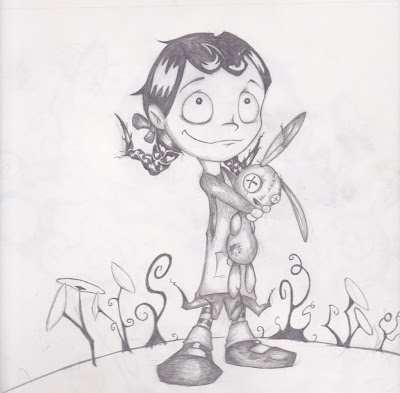
 Step 2: Once the picture is scanned into the 'puter, it's just adjustment of white and black levels, and deleting anything that's not the drawing (in photoshop).
 Step 3: next, I just duplicate the layer and Gaussian blur it to get some smoother shadow tone.
 Step 4: Multiply the blurred layer over the top of the pencil lines.
 Step 6: digitally paint in the characters' colour. I'm not much of a matte painter, and kind of average with colour as I've said before, so with these pictures I'm relying kind of heavily on my pencil lines. I did some mild dodging and burning on the colour, mainly to just enhance the pencil shading.
 Step 7: Most of the colour were just multiply layers on top of the pencil image. The girl's skin was a color layer, as it gave it more of a glow. At this point I burn some of the outer pencil lines to mimic a poor man's "inking".
 Step 8: Paint in the backgrounds. This part was what I found looked the most "photoshoppy" in some images. Makes some of the pictures look like desktop backgrounds.
 Step 10: Add some overlapping foreground clouds and some dark green under the character. These are the "grounding" details, which makes the foreground, midground and background all look part of the same image - rather than a bunch of layers on top of each other. This was definitely done better in some images than others.

